The website features that most often help a business site get more leads are a clear headline and offer above the fold, one main call to action on every page, a short form, click-to-call and WhatsApp buttons, trust proof such as reviews and case studies, fast mobile loading, simple navigation, dedicated pages for each service, a thank-you page and tracking for calls and forms. Add them in that order of importance, then test one change at a time.
Key Takeaways
- A website gets leads when each page has one clear job and one clear next step.
- Short forms, click-to-call and WhatsApp remove friction for mobile visitors.
- Trust proof near the call to action (reviews, case studies, named results) helps hesitant visitors.
- Speed and mobile layout decide whether visitors stay long enough to act.
- Track calls, forms and WhatsApp clicks, or you cannot tell which changes work.
Many business websites look good and still bring very few enquiries. The reason is rarely the design. It is usually missing features that help a visitor decide and act. This checklist covers ten features that help a website turn visitors into leads. It is written for owners and marketers in Ahmedabad who already have a site, or are planning one with our website development services in Ahmedabad. Work through the list page by page, and fix the biggest gaps first.
Why conversion matters as much as traffic
If 100 people visit your site and 2 enquire, doubling the rate gives you twice the leads without paying for more visitors. That is what conversion rate optimisation (CRO) means: getting more actions from the people you already have. It also makes your ads and SEO work harder. Before you spend more on Google Ads in Ahmedabad or Meta ads, check that your website is ready to receive visitors.
The 10 website features that help generate leads
| # | Feature | What it does |
|---|---|---|
| 1 | Clear headline and offer | Tells visitors in seconds what you do and for whom |
| 2 | One main call to action | Shows the next step on every page |
| 3 | Short enquiry form | Makes it easy to ask |
| 4 | Click-to-call and WhatsApp | Lets mobile visitors contact you in one tap |
| 5 | Trust proof | Reviews, case studies, awards, client names |
| 6 | Fast, mobile-first pages | Keeps visitors from leaving |
| 7 | Simple navigation | Gets people to the right page quickly |
| 8 | A page for each service | Matches what people searched for |
| 9 | A thank-you page | Confirms the lead and gives a next step |
| 10 | Tracking | Shows which pages and sources bring leads |
1. A clear headline and offer above the fold
The first screen should answer three questions: what do you do, who is it for, and what should I do next? Avoid slogans that could belong to any company. "Dental implants in Ahmedabad, with a free consultation" works better than "Excellence in care". Put the main button in the same first screen, so people do not need to scroll to find it.
2. One main call to action per page
Each page should have one primary goal: call, book, request a quote or send an RFQ. Repeat that same action at the top, middle and end of the page. Too many different buttons split attention. A secondary link, such as a download, is fine as long as it does not compete with the main action.
3. A short enquiry form
Every extra field reduces the number of people who finish. Ask only for what you need to follow up: name, phone number and one line about the need. If you need more detail to qualify leads, add one or two useful questions instead of ten. For high-value services, a two-step form can feel lighter while still collecting more information.
4. Click-to-call and WhatsApp buttons
Most visitors in India are on mobile, and many prefer to call or message rather than fill a form. Add a tap-to-call number and a WhatsApp button that opens a chat with a ready message. Keep them visible while scrolling on mobile, for example in a bottom bar. Track clicks on both, since these are leads too.
5. Trust proof near the action
- Google reviews with real names and dates.
- Case studies with a clear before and after. See our case studies for how we present them.
- Client logos, awards and certifications you can verify.
- Photos of your team, office or work, not only stock images.
- Clear policies on price, timelines and guarantees, stated honestly.
Place proof close to the button, not only on a separate testimonials page.
6. Fast, mobile-first pages
Slow pages lose visitors before they read a word. Google's Core Web Vitals give targets: the main content should load within about 2.5 seconds, the page should respond to taps within 200 milliseconds, and the layout should not jump while loading. Compress images, avoid heavy sliders and test on a real phone with mobile data. Our technical SEO practices guide explains how to check these.
7. Simple navigation
Keep the main menu to the few pages that matter: services, about, results, contact. Use plain labels. Add a visible phone number or button in the header. A visitor should never wonder how to get in touch.
8. A dedicated page for each service
People who search for "website design for dentists" want a page about that, not a general services list. A page for each major service or audience helps visitors find what they need and helps search engines match your pages to searches. Keep each page focused, with its own call to action, proof and FAQs.
9. A thank-you page that does something
After a form is sent, show a thank-you page that says when you will call, offers a WhatsApp link and suggests one more step, such as reading a guide or viewing a case study. It also gives you a clean page to count conversions in analytics.
10. Tracking you can trust
Set up analytics and conversion tracking for form submissions, calls and WhatsApp clicks. Without it, you cannot tell which pages or campaigns bring leads, and you cannot test changes properly. If you run ads, share lead quality with your ad team too, as we explain in our guide on clicks but no leads.
Where to place each feature
| Page area | Put here |
|---|---|
| Top of page | Headline, offer, main button, phone and WhatsApp |
| Middle | Proof, process and a repeat of the main button |
| Bottom | FAQs, short form and final call to action |
| Mobile bottom bar | Call and WhatsApp |
How to improve without guessing
- Find the pages that get the most visitors.
- Check that each has a clear action, proof and a fast mobile layout.
- Change one thing at a time, such as the headline or form length.
- Wait for enough visits, then compare leads before and after.
- Keep what works and write it down.
Examples by type of business
| Business | Add first | Why |
|---|---|---|
| Clinic or hospital | Book or call button, doctor profiles | Trust and an easy first step |
| Manufacturer or B2B | RFQ form, spec sheets | Buyers need proof and detail. See our manufacturer website checklist. |
| Real estate | Price range, floor plans, visit booking | Buyers compare projects |
| Education | Course pages, demo booking | Parents compare first |
| Local service | Click-to-call, reviews, quote form | Visitors want fast answers |
Common mistakes that cost leads
- A rotating banner with different messages instead of one clear offer.
- Menu with many items, and the contact page hidden in a footer.
- A form that asks for ten details before you have earned the right.
- Stock photos instead of real people, places and work.
- Pop-ups that cover the content on mobile.
- No thank-you page, so you cannot measure leads.
- Pages that look good on a desktop but are cramped on a phone.
A sample structure for a service page that converts
- Headline with the service, the place and the main benefit, with a button.
- Short explanation of who it is for and what is included.
- Three to five proof items: reviews, results, logos, a short case.
- How it works in three or four steps.
- Price guidance or what affects the price, stated honestly.
- FAQs answering the objections people raise on calls.
- Final form or call button, repeated from the top.
Next steps
If you want us to review your site against this checklist, talk to our website team. If you are building a new site, see the checklist for choosing a website development company and the guide to website development cost.
Frequently Asked Questions
What website features help generate leads?
A clear headline and offer, one main call to action, a short form, click-to-call and WhatsApp buttons, trust proof, fast mobile pages, simple navigation, service pages, a thank-you page and tracking.
How many fields should a lead form have?
As few as you can follow up with. Name, phone number and one short question about the need is a good start. Add one or two qualifying questions only if you will actually use them.
Should my website have a WhatsApp button?
For most Indian businesses, yes. Many visitors prefer messaging to forms. Add a visible button that opens a chat with a ready message, and track the clicks as leads.
What is conversion rate optimisation?
CRO means improving your website so a larger share of visitors take an action, such as calling or sending an enquiry. It makes the traffic you already have more valuable.
Why is my website getting visitors but no enquiries?
Common causes are an unclear offer, no obvious next step, slow mobile pages, weak proof, long forms, and missing tracking. Review your top pages against the ten features in this guide.
Do reviews and case studies really help conversion?
They help hesitant visitors trust you. Place them close to the call to action, with real names, dates and clear results, rather than on a separate page only.
How fast should a business website load?
Google suggests the main content should load within about 2.5 seconds, respond to taps within 200 milliseconds and keep layout stable. Test on a real phone with mobile data.
Do I need a separate page for each service?
It helps. A focused page matches what people search for and lets you add proof and FAQs for that service. It also gives each service its own call to action.
What should a thank-you page include?
A confirmation, when you will call, a WhatsApp link and one useful next step. It also lets you count form conversions accurately in analytics.
How do I know which changes improved my leads?
Track forms, calls and WhatsApp clicks, change one thing at a time and compare results over a similar period. Without tracking, you are guessing.
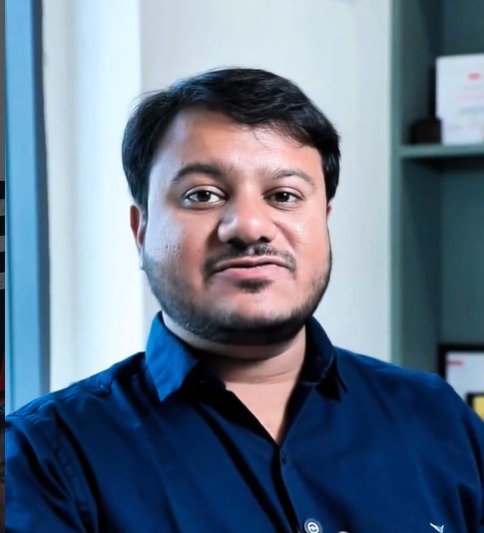
Sambhav Shah
Founder & CEO, Digital Aura
About the author
Sambhav didn't learn digital marketing in a classroom. Starting in 2015, he built his expertise the hard way — self-taught, hands-on, scaling teams and driving growth across industries for over a decade. He's led business development, managed client relationships across continents, built and mentored growing teams, and worn every hat a high-performance agency demands.
With 10+ years of cross-functional experience in client acquisition, team leadership, and digital execution, he's personally involved in strategy — whether it's an SEO plan, a performance campaign targeting international markets, or a web platform built to convert.
Want results like this?
Website getting visitors but few leads? Ask for a quick review.
Get a website reviewMore Posts
Website Development Cost in Ahmedabad (2026): What Decides the Price and How to Compare Quotes
Website Development
How to Choose a Website Development Company in Ahmedabad: Checklist and Red Flags
Website Development
Website Redesign Checklist: How to Redesign Without Losing Your Google Rankings
Website Development